
Newsletter Mailer Template
Create a clean email newsletter without fighting a drag-and-drop editor. Fill in your header, intro, up to three articles with buttons, events and footer, pick a brand colour, and the builder produces a lightweight, table-based HTML email that displays well in common email clients. Preview it, then copy the code into your email platform’s HTML editor or download it.
- Free to use
- No sign-up
- Runs in your browser
Newsletter builder
Newsletter Template Pack
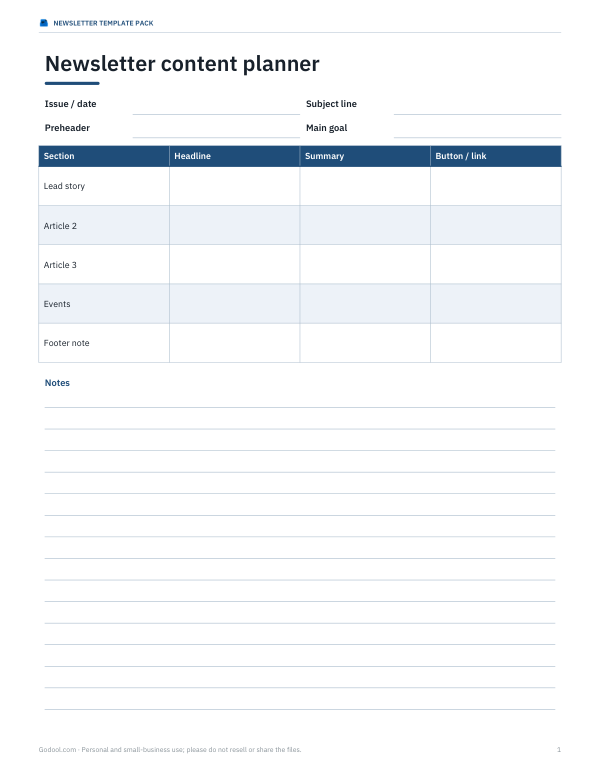
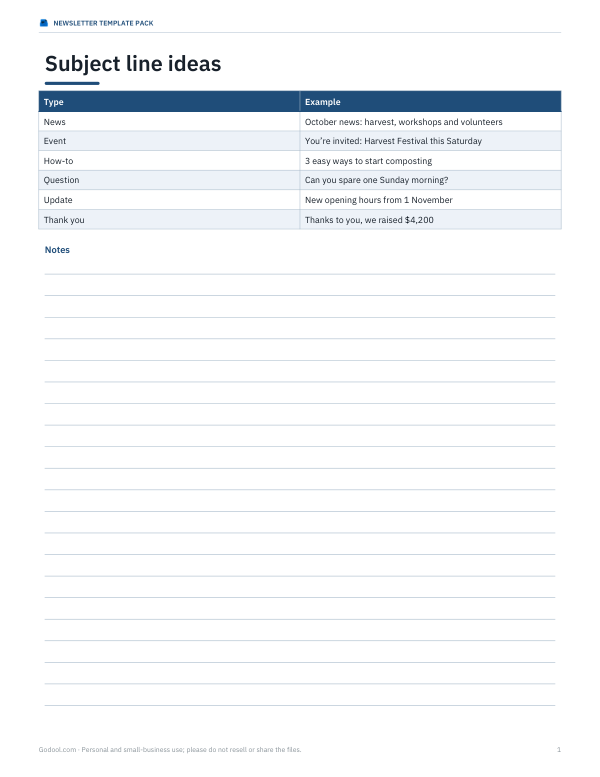
Five HTML email newsletter templates (announcement, monthly digest, event, product update, fundraising), a newsletter content planner, a subject line swipe file and an Excel campaign results tracker.
- Content planner (DOCX/PDF)
- Subject lines (PDF)
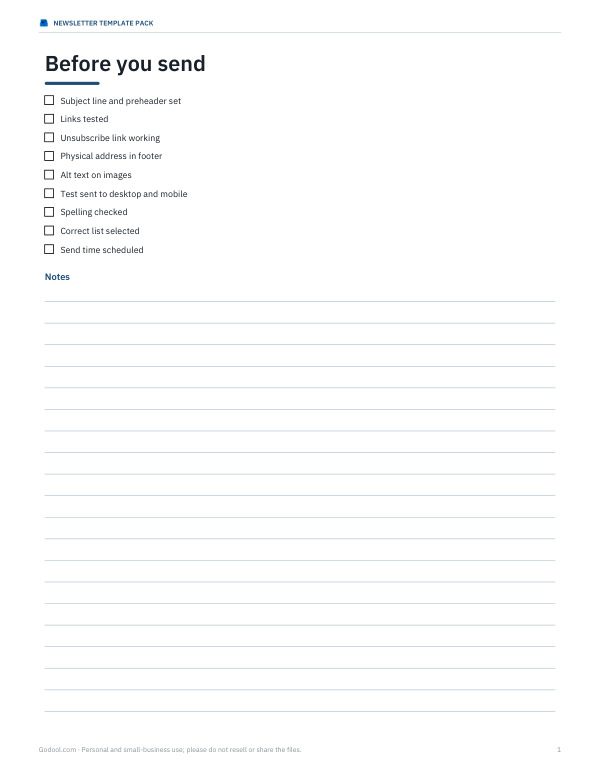
- Send checklist (PDF, DOCX)
- Results tracker (XLSX)
Formats: DOCX, PDF, XLSX. Instant download after payment (link valid 72 hours, up to 5 downloads). AI-assisted: the templates were drafted with AI help and reviewed and laid out before publishing.
$5.00 USD, one-time 4 files · about $1.25 each
- Instant download
- 7-day refund
- Secure checkout by Stripe
7-day money-back guarantee. Full refund within 7 days of purchase, even after you download.
Free sample: Campaign Results Tracker (PDF, 60 KB)
Full refund within 7 days — see the refund policy and license.
Free printables
Single sheets you can print right now, no sign-up. The full pack adds every sheet in one download plus the editable files.
 Newsletter Results Tracker
Why email HTML is different
Email clients render HTML very differently from web browsers. Many ignore modern layout features, strip style blocks or limit CSS, and some desktop clients use older rendering engines. That is why reliable newsletters still use nested tables, inline styles, web-safe fonts and simple layouts around 600 pixels wide. The builder follows these conventions so your newsletter holds together in common clients such as Gmail, Apple Mail and Outlook.
Anatomy of a good newsletter
| Part | Purpose |
|---|---|
| Preheader | Preview text shown next to the subject line in the inbox |
| Header | Organisation name and issue title in your brand colour |
| Intro | A short, friendly opening — two or three sentences |
| Articles | Headline, short summary and one clear button each |
| Buttons | One call to action per article, with a link |
| Footer | Address, contact details and unsubscribe link |
How to use the builder
- Enter your organisation, issue title and brand colour.
- Write a preheader of about 40–100 characters that adds to the subject line.
- Write a short intro.
- Add articles: headline | text | button label | link (links must start with http:// or https://).
- Add your footer address and contact.
- Check the preview, then copy the HTML or download the file.
- Paste into your email platform’s custom HTML or code editor and replace {{unsubscribe_url}} with its unsubscribe merge tag.
- Send a test to yourself on desktop and mobile before sending to your list.
Writing newsletter content that gets read
- Lead with the most important or timely news.
- Keep each article to two or three sentences and link to more detail.
- Use one clear action per article: book, read, sign up, donate.
- Write subject lines that are specific: “Harvest festival Saturday + new composting class”.
- Send on a consistent schedule so readers know when to expect you.
- Personalise greetings if your platform supports merge fields.
Deliverability and legal basics
Only email people who have agreed to receive your newsletter, include your physical address and a working unsubscribe link, and honour unsubscribes promptly. These practices are required by anti-spam laws in many places (such as CAN-SPAM in the US and GDPR/PECR rules in the UK and EU) and they help your emails reach inboxes. Your email platform will usually insert the unsubscribe link and handle list management for you.
Images
This builder creates a text-first layout, which loads fast and reads well even when images are blocked by default. If you add images in your email platform, host them there, keep file sizes small, set width attributes, and always add alt text so readers who don’t load images still understand the message.
Worked example
A community garden writes its October issue with three articles — a harvest festival, a composting workshop and a call for volunteers — each with a button linking to its website. The builder produces under 4 KB of HTML in the garden’s green, with the preheader “Harvest festival on the 18th, new composting workshop and how to volunteer.” They paste it into their email platform, swap in the unsubscribe merge tag, send a test to two phones and a laptop, and schedule it for Thursday morning.
Testing before you send
- Send a test to your own addresses on at least two email apps (for example a webmail account and a phone mail app).
- Check the preheader appears after the subject line in the inbox.
- Open on a phone and make sure text is readable without zooming.
- Click every button and link.
- Turn images off in one client to confirm the message still makes sense.
- Read it once more for spelling and dates.
Accessibility checklist
- Use at least 14–16 px body text and good colour contrast between text and background.
- Write descriptive button labels such as “Book a composting place” rather than “Click here”.
- Keep headings short and meaningful so screen reader users can scan.
- Give every image alt text, and never put key information only inside an image.
- Keep line lengths comfortable by staying near the 600 px width.
Measuring results
After sending, look at open and click rates and which buttons were clicked most. Open rates are less reliable than they used to be because some email apps pre-load images, so clicks and replies are better signals. Try one change at a time — subject line style, send day, article order — and compare over a few issues.
Privacy
The builder runs in your browser. Your content is not uploaded; the preview renders locally.
Frequently asked questions
How do I make an HTML newsletter?
Fill in the builder, copy the HTML and paste it into your email platform’s HTML editor.
Why do email templates use tables?
Many email clients have limited CSS support; tables and inline styles render most reliably.
What is a preheader?
The preview text shown next to the subject line in inbox lists.
Do I need an unsubscribe link?
Yes, it is expected by email providers and required by many anti-spam laws.
How wide should an email be?
Around 600 pixels is a common, safe width.
Can I add images?
Yes, add them in your email platform with alt text and small file sizes.
Will it work in Outlook?
The table-based layout and inline styles are designed to hold up in common clients including Outlook; always send a test.
How often should I send a newsletter?
Monthly or fortnightly is common for small organisations; consistency matters more than frequency.
Is my content uploaded?
No, everything happens in your browser.